 PaintVisualizer
 Asian Paints
PaintVisualizer vs Asian Paints
Detailed Feature, Workflow & Real-World Accuracy Comparison
Visualizing wall colors prior to painting is essential for Indian homes, where interior lighting shifts dramatically between monsoon overcast, intense tropical daylight, and warm 2700K evening lighting. Both PaintVisualizer.app and Asian Paints offer digital visualization tools, but their technical workflows and color libraries differ significantly.
Asian Paints delivers its visualization primarily through the "Colour with Asian Paints" mobile app, spotlighting over 2,200+ proprietary shades, Royale Play wall textures, stencil designs, and integration with Asian Paints Safe Painting Services. PaintVisualizer.app provides an accessible, browser-first AI platform allowing homeowners, architects, and designers to preview Asian Paints shades alongside global rivals like Berger, Nerolac, Dulux, and Sherwin-Williams with photorealistic daylight simulation.
This neutral comparison examines room photo uploads, wall texture handling, multi-brand compatibility, device accessibility, and workflow practicalities to guide your renovation planning.
Quick Comparison: PaintVisualizer.app vs Asian Paints
A comprehensive side-by-side feature matrix verified against active platform capabilities.
| Feature / Capability | PaintVisualizer.app | Asian Paints Colour Visualizer |
|---|---|---|
Upload your own photo Camera capture or gallery upload | Yes | Yes |
Interior visualization Living rooms, bedrooms, pooja rooms, kitchens | Yes | Yes |
Exterior visualization Bungalow facades, apartment balconies | Yes | Yes |
Wall visualization Core wall colorization supported | Yes | Yes |
Ceiling visualization Asian Paints app focuses on vertical walls | Yes | Limited |
Trim / doors / cabinets Limited manual selection in mobile app | Yes | Limited |
AI-assisted visualization Asian Paints offers AI color suggestions; PV uses AI scene rendering | Yes | Limited |
Color picker Photo eyedropper available on both | Yes | Yes |
Custom HEX / RGB colors Asian Paints restricts selection to Asian Paints catalog | Yes | No |
Paint brand colors PV supports 20+ brands; Asian Paints supports Asian Paints only | Yes | Limited |
Multiple color comparison Side-by-side color test supported | Yes | Yes |
Before / after slider Interactive split-screen slider in PV | Yes | Limited |
Save projects Save projects to user account | Yes | Yes |
Download results Save rendered images to camera roll | Yes | Yes |
Share results WhatsApp, email, and social sharing | Yes | Yes |
Browser support Asian Paints focuses on native mobile apps | Yes | Limited |
Mobile browser support PV requires zero app download | Yes | Limited |
Account required to try Guest testing permitted | No | No |
Free usage tier Free previews on both tools | Yes | Yes |
Physical paint sample recommendation Both advise testing physical color patches | Yes | Yes |
What Is PaintVisualizer.app?
PaintVisualizer.app is an open AI room color visualization platform engineered to give homeowners and interior specialists total freedom when previewing wall colors. Working directly in any web browser without mandatory app installs, users can upload a photo of any room or house facade. The platform neural engine automatically detects walls and ceilings, preserving natural lighting, window glare, and furniture contours. PaintVisualizer.app supports Asian Paints 2,200+ shade codes (Royale, Apcolite, Tractor) alongside top global and Indian paint manufacturers.
What Is Asian Paints?
Colour with Asian Paints is the flagship mobile visualization application from Asian Paints Ltd, India’s largest paint manufacturer. Available on iOS and Android, the app features an extensive database of 2,200+ Asian Paints shades, curated color schemes, Royale Play textures, wallpaper previews, and a color-matching camera tool. It also facilitates direct booking for colour consultants, painter contractor services, and nearest dealer locators across India.
How Do PaintVisualizer.app and Asian Paints Work?
Compare the step-by-step workflow from uploading a room photo to reviewing final color renders.
PaintVisualizer.app Workflow
Open Web Browser & Upload Photo
Access PaintVisualizer.app on any phone, tablet, or PC and upload a photo of your room or exterior.
Instant Neural Wall Isolation
AI computer vision automatically segments wall surfaces while keeping curtains, sofas, and floors untouched.
Select Asian Paints Shades or Rival Brands
Browse popular Asian Paints codes or compare them with Berger, Nerolac, or Dulux alternatives.
Daylight & Shadow Rendering
The visualization engine computes natural light absorption, simulating daylight and nighttime ambiance.
Interactive Before/After Slider
Inspect the transformed room with an interactive split-screen slider to confirm visual harmony.
Save & Share Specifications
Export color details and room renders to share with your family or painting contractor.
Asian Paints Workflow
Download & Install Mobile App
Download "Colour with Asian Paints" from Google Play Store or Apple App Store.
Snap Photo or Select Sample Room
Take a picture of your wall with the phone camera or pick a pre-loaded living room or bedroom scene.
Define Wall Boundaries
Tap walls to auto-detect or use touch-screen editing tools to refine masking boundaries around switches and furniture.
Explore 2,200+ Asian Paints Shades
Select colors from the Color Spectra fan deck, Royale Play texture designs, or recommended color combinations.
Apply Virtual Paint & Textures
Render digital paint and stencils onto selected surfaces to view the updated room look.
Book Service or Locate Dealers
Save the palette to your Asian Paints profile or schedule a Safe Painting Service consultation.
PaintVisualizer.app vs Asian Paints: Feature Deep Dive
Detailed technical differences across photo upload, boundary detection, color matching, and rendering.
Photo Upload & Capture
Accepts photos taken in any lighting directly through your browser on iPhone, Android, or PC. No app download or storage permission setup needed.
Uses native phone camera integration inside the app to capture walls in real-time or select pictures stored in your mobile gallery.
Surface Masking & Indian Room Geometry
AI model is trained to recognize Indian interior elements: ceiling fans, pooja units, carved teak furniture, curtain rods, and electrical switchboards.
Provides tap-to-fill automated edge detection, accompanied by touch-screen eraser and brush tools to clean up edges around wall hangings.
Shade Library & Special Finishes
Offers 2,200+ Asian Paints shades with calibrated hex formulas, alongside competitor codes and custom hex values for interior design projects.
Features the complete Asian Paints Color Spectra collection, Royale Play designer textures (Safari, Metallics, Stucco), and curated festive palettes.
Lighting & Shadow Preservation
Calculates ambient light bounce and preserves natural shadows cast by window grilles, ceiling cornices, and indoor lighting fixtures.
Applies digital pigment overlays. Advanced rendering includes visual previews of textured finishes and metallic sheen reflections.
Before & After Comparison Tools
Includes an interactive split-screen slider allowing continuous left-to-right swiping to evaluate the change in room atmosphere.
Offers quick before/after toggle buttons within the mobile project viewer to alternate between the original wall and new color.
Contractor Handoff & Service Booking
Generates exportable room cards with exact shade names and codes (e.g. Morning Frost, Royale Luxury) ready for any local painter.
Directly bridges visual previews into Asian Paints Safe Painting consultations, providing estimated paint quantities and dealer quotes.
Paint Brands and Color Library Coverage
Compare manufacturer shade databases and color formulation support.
| Paint Brand / Source | PaintVisualizer.app | Asian Paints |
|---|---|---|
Asian Paints (Royale, Apcolite) Full Asian Paints shade database | Yes (Calibrated 2,200+) | Yes (Official Catalog) |
Berger Paints India Rival Indian brand excluded from Asian Paints app | Yes (Color Bank) | No |
Kansai Nerolac Rival Indian brand excluded | Yes (Calibrated) | No |
Dulux India Rival brand excluded | Yes (Calibrated) | No |
JSW Paints Rival brand excluded | Yes (Calibrated) | No |
Sherwin-Williams Global brand excluded | Yes (1,700+ shades) | No |
Benjamin Moore Global brand excluded | Yes (3,500+ shades) | No |
Behr Global brand excluded | Yes (Full library) | No |
Custom HEX & RGB codes Asian Paints only permits official shade codes | Yes (Direct input) | No |
Visualizing Paint Colors on Your Own Room
Testing colors on your actual living room or bedroom walls ensures you avoid choosing a shade that looks washed out by intense midday sunlight or sickly under evening tubelight. Below is a real before-and-after demonstration of architectural paint visualization.
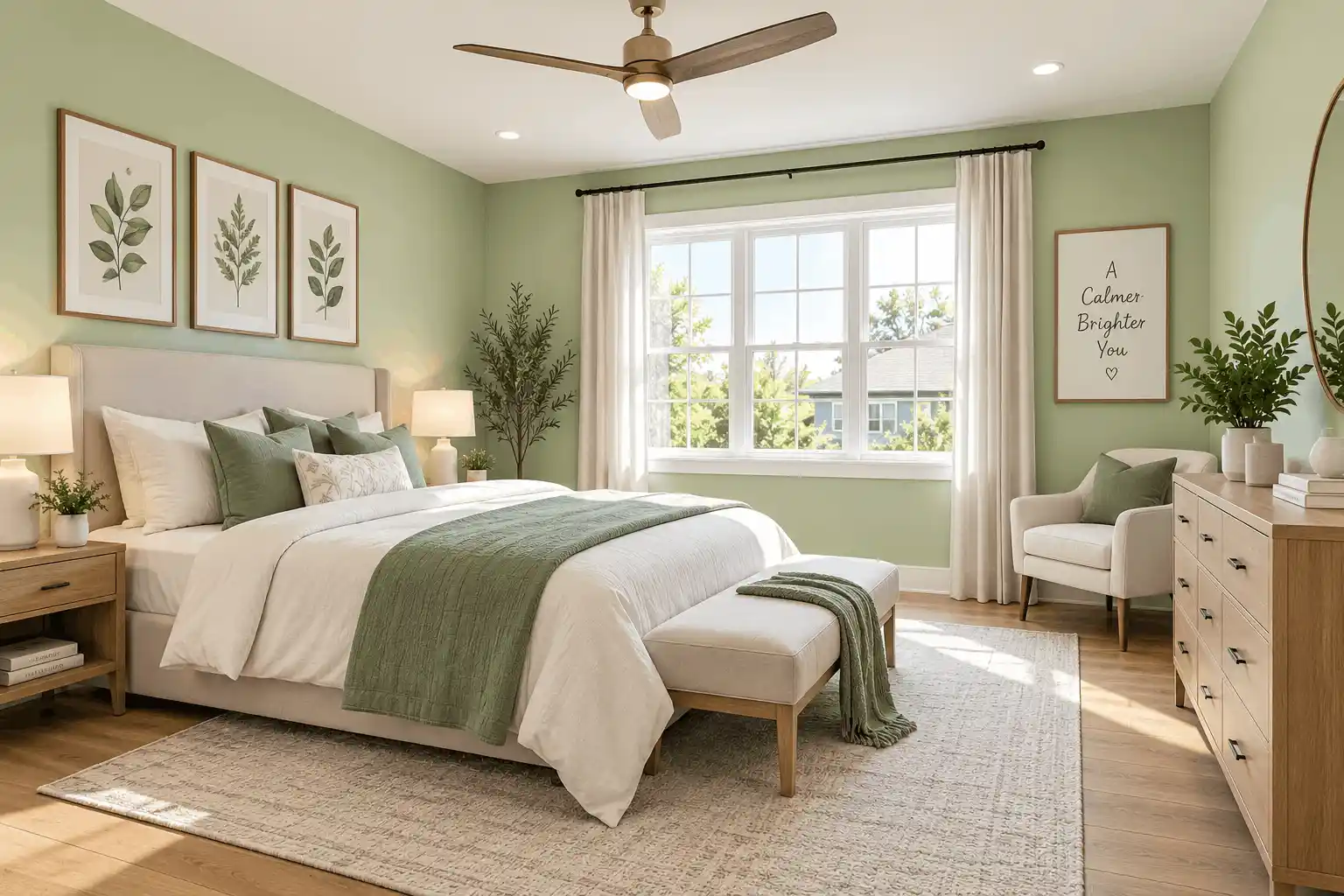

Key Visual Integrity Standards
- Separates wall planes from marble, vitrified tile, and wooden floorings
- Preserves delicate shadows around window frames and door casings
- Accurately previews light reflectance in compact and spacious rooms alike
- Interactive slider lets you inspect transitions before buying paint
Interior Room Visualization
Both tools excel at interior visualization, including living rooms, master bedrooms, kitchens, dining spaces, and pooja areas. PaintVisualizer.app allows easy side-by-side brand comparisons, while Asian Paints offers specialized wall texture previews.
Exterior House Visualization
Exterior visualization tests weather-resistant coatings on bungalow facades, apartment balconies, compound walls, and window ledges. Asian Paints provides Apex and Ultima exterior previews, while PaintVisualizer.app handles custom user exterior photos effortlessly.
AI Paint Visualization vs Traditional Virtual Painting
Understanding the mechanical difference between basic color overlays and deep neural scene synthesis.
Traditional Color-Overlay Painting
Traditional mobile visualizers apply a tinted mask over segmented wall pixels. While convenient on mobile hardware, this can produce an unnatural "painted over" look that ignores wall surface roughness and ambient illumination.
Neural Scene Understanding & Light Synthesis
Modern AI visualization analyzes the light dynamics of the room. It separates surface texture from illumination gradients, reapplying the target shade with correct physical light absorption.
Note: Asian Paints incorporates AI recommendations to suggest complementary three-shade palettes, while PaintVisualizer.app concentrates its AI on photorealistic light and shadow rendering.
How Accurate Are Paint Visualizers in the Real World?
Digital visualizers are indispensable for narrowing down shade choices, but physical test patches remain essential in Indian homes due to widespread use of cool-white 6500K LEDs vs warm-white lighting.
Mobile and Desktop Experience
Platform availability, responsive browser support, and native applications.
| Platform / Device | PaintVisualizer.app | Asian Paints |
|---|---|---|
| Desktop Browser | Yes | LimitedPV is fully optimized for desktop; Asian Paints emphasizes mobile app |
| Mobile Browser | Yes | LimitedPV requires no app install; Asian Paints prompts app download |
| iOS App | Limited | YesNative iOS app on App Store |
| Android App | Limited | YesNative Android app on Play Store |
| Tablet Browser | Yes | YesWorks on iPads and tablets |
Pricing and Free Usage
Usage allowances, credit systems, subscriptions, and account requirements.
| Pricing Dimension | PaintVisualizer.app | Asian Paints |
|---|---|---|
| Free Visualization | Available on both tools | Available on both tools |
| Free Usage Tier | PaintVisualizer.app includes free exploratory generations; Asian Paints app is free to download and use | PaintVisualizer.app includes free exploratory generations; Asian Paints app is free to download and use |
| Credits / Token Model | PaintVisualizer.app offers credit packs for high-volume high-resolution rendering | PaintVisualizer.app offers credit packs for high-volume high-resolution rendering |
| Subscription Plans | Optional pro tier on PaintVisualizer.app for designers and architectural firms | Optional pro tier on PaintVisualizer.app for designers and architectural firms |
| Account Requirement | No account needed for basic preview on PaintVisualizer.app; mobile app requires phone or guest setup | No account needed for basic preview on PaintVisualizer.app; mobile app requires phone or guest setup |
Who Is PaintVisualizer.app For?
- Indian homeowners comparing Asian Paints with Berger, Nerolac, or Dulux
- Interior designers working on laptop/desktop needing custom HEX codes
- Users who prefer immediate browser access without downloading another mobile app
- Home renovators wanting realistic daylight and shadow preservation
Who Is Asian Paints For?
- Homeowners committed to using Asian Paints products and Royale Play textures
- Users who want an end-to-end service, from visualizer to contractor booking
- Mobile-first users comfortable managing home renovations via a smartphone app
- Contractors using Asian Paints Colour Club dealer networks
PaintVisualizer.app: Advantages
- Zero app installation: works seamlessly in Chrome, Safari, and Edge on any device
- Compare Asian Paints shades against Berger, Nerolac, Dulux, and Sherwin-Williams
- Support for custom HEX codes and international designer color formulas
- Advanced AI scene understanding for realistic daylight and shadow fidelity
- Interactive before-and-after slider for comprehensive visual evaluation
PaintVisualizer.app: Limitations
- Does not include contractor booking or dealer quotation services
- High-volume batch downloads utilize cloud processing credits
Asian Paints: Advantages
- Native access to 2,200+ Asian Paints shades and Royale Play textured finishes
- Integrated contractor booking and Safe Painting Services in Indian cities
- Includes store locator for nearest Asian Paints Colour Idea dealers
- Free to download and use on iOS and Android
Asian Paints: Limitations
- Requires downloading a native mobile app (not fully browser-based)
- Strictly excludes rival brands like Berger, Nerolac, and Dulux
- No custom HEX or arbitrary RGB color code input
- Digital preview can appear flat on complex wall textures
Which Tool Fits Your Project Workflow?
Guidance tailored to practical scenarios rather than subjective rankings.
| If you want to... | Consider | Why |
|---|---|---|
| Preview room colors instantly in your browser without app install | PaintVisualizer.app | Fully responsive web platform runs on desktop and mobile without app store downloads. |
| Compare Asian Paints shades against Berger or Nerolac | PaintVisualizer.app | Asian Paints app does not permit testing rival paint manufacturer color codes. |
| Visualize Royale Play textured finishes and stencils | Asian Paints Colour Visualizer | Asian Paints app has dedicated texture rendering for Royale Play metallic and stucco effects. |
| Book an Asian Paints Safe Painting contractor | Asian Paints Colour Visualizer | The app is directly tied to Asian Paints painting service logistics and dealer networks. |
| Test a custom HEX code recommended by your interior designer | PaintVisualizer.app | PaintVisualizer.app allows direct entry of any HEX or RGB color code. |
Try PaintVisualizer.app Free
Upload any room photo, test over 5,000+ designer paint shades from top global manufacturers, and see realistic daylight and shadow interactions in seconds.
Frequently Asked Questions
Clear, factual answers to common questions about PaintVisualizer.app and Asian Paints.
Explore More Paint Visualizer Comparisons
Compare other popular paint brand tools, mobile visualizer apps, and AI design studios.
PaintVisualizer vs PPG Paints
Compare PaintVisualizer.app and PPG Paints Visualizer for room color visualization, wall painting previews, AI tools, color selection, and photo-based paint testing.
PaintVisualizer vs VisualizeColor
Compare PaintVisualizer.app and VisualizeColor for online room color visualization, wall painting previews, AI tools, photo uploads, and color exploration.
PaintVisualizer vs Sherwin-Williams
Compare PaintVisualizer.app and Sherwin-Williams ColorSnap Visualizer for room color visualization, wall painting previews, AI tools, and color exploration.
PaintVisualizer vs Dehome
Compare PaintVisualizer.app and Dehome Paint Color Visualizer for AI room color visualization, wall painting previews, area selection, and high-res results.
PaintVisualizer vs RoomsGPT
Compare PaintVisualizer.app and RoomsGPT Paint Color Visualizer for AI paint visualization, room design, wall colors, cabinets, and custom color testing.
PaintVisualizer vs Nippon Paint
Compare PaintVisualizer.app and Nippon Paint Colour Visualizer for room color visualization, wall painting previews, mobile app experience, and shade selection.
PaintVisualizer vs Behr
Compare PaintVisualizer.app and Behr Color Visualizer for room color visualization, wall painting previews, AI tools, sample rooms, and color exploration.
Feature information and product capabilities were compiled from publicly available documentation, first-party product portals, and active web tools as of September 2026. Features, app store availability, pricing tiers, and manufacturer shade collections are subject to change.